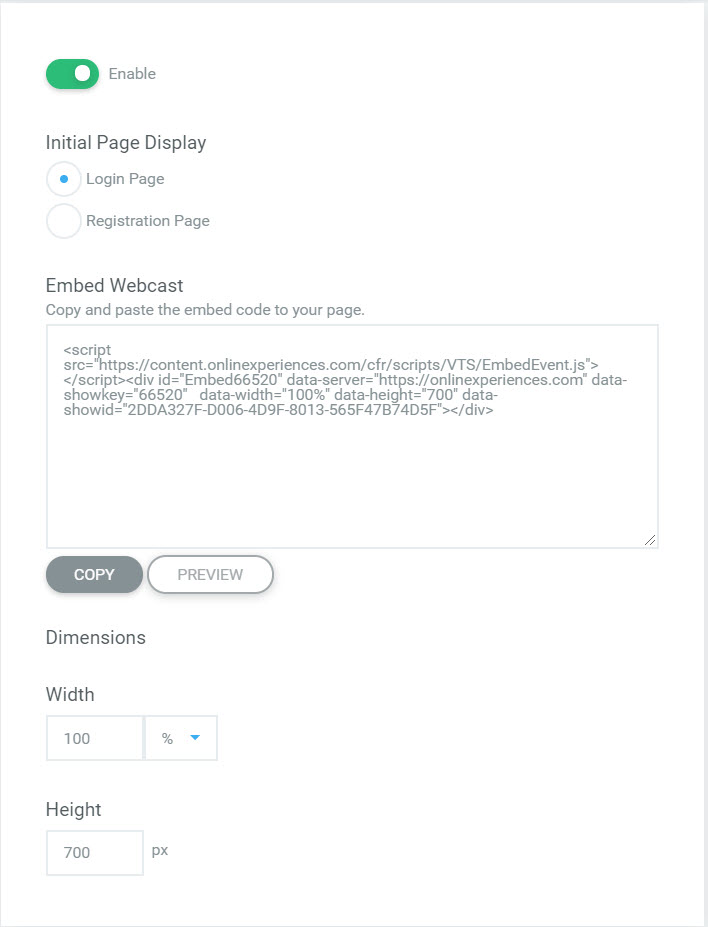
Webcast Embed
The Webcast Embed feature is a feature within Studio Webcasting that allows for a live or on demand webcast to be embedded on a 3rd party site.
Webcast Embed Setup
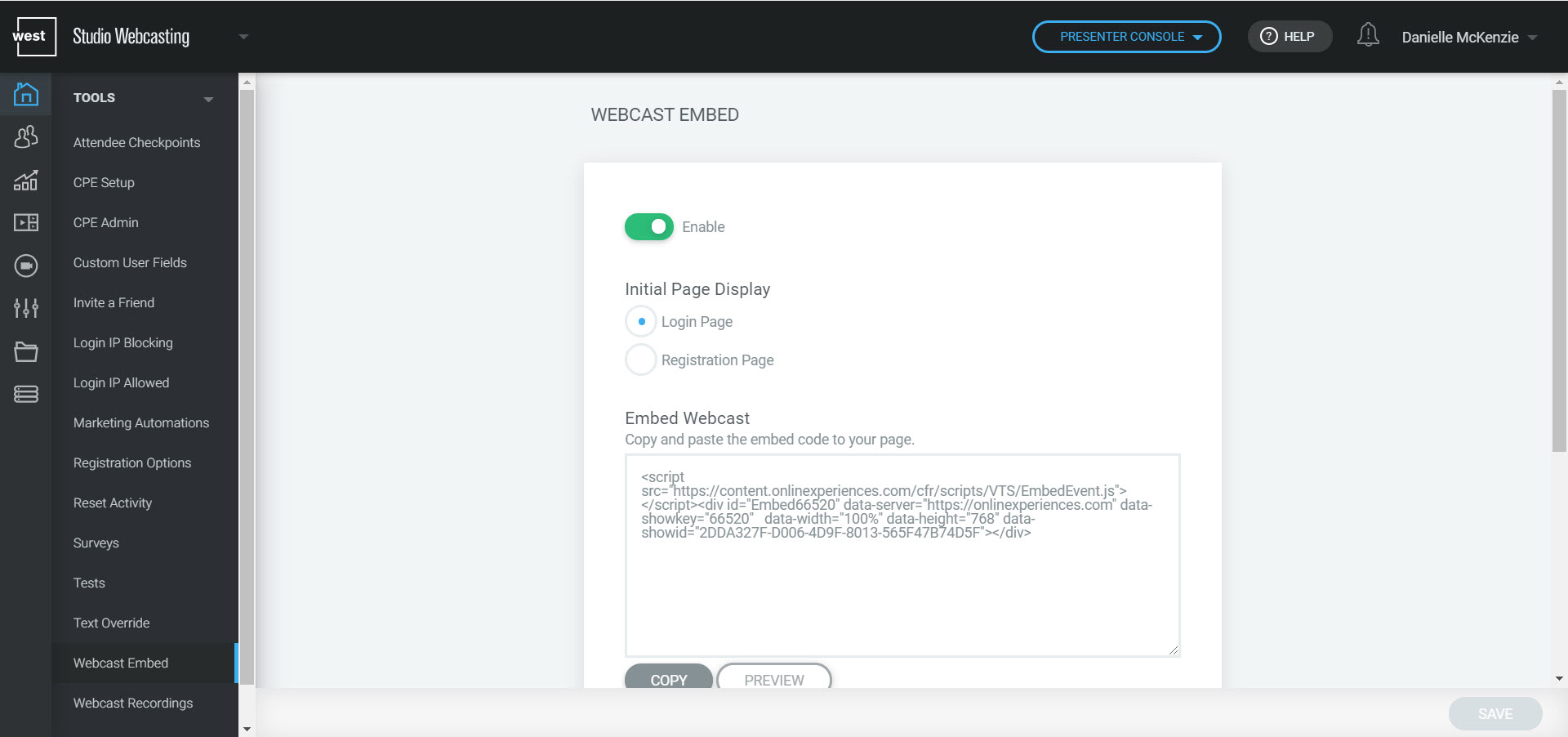
Within Studio Webcasting, the Webcast Embed feature can be found under Tools > Webcast Embed.
Embed Enablement
To enable the embed feature, the Enable button should be set to active. If the feature is not set to enabled, an error message will display on the 3rd party site where the code is embedded.
Initial Page Display
Choose either the login page or the registration page to be displayed in the embed. Layout and content updates needed for either page must be made at the "Registration" and "Login" steps within Studio Webcasting.
For webcasts using anonymous login, attendees will be brought directly into the webcast from the 3rd party site. It is recommended to only embed on demand webcasts on 3rd party sites when using anonymous login.
Embed Webcast
Once the page display has been selected the embed code can be copied from the Embed Webcast section. Before applying the embed code to the 3rd party site, be sure to select Preview for a test view of the code.
NOTE: While viewing Preview Mode, any activity will count as real data.
Dimension updates should be made under the Dimension section and not within the text of the code. Changes made under Dimensions will automatically be applied to the code.